
You buy twelve matching bottles, put six in the rack and three in the cooler, then leave three in the box. A single location field now tells only part of the story. The problem becomes harder when someone refills the cooler without updating the box count.
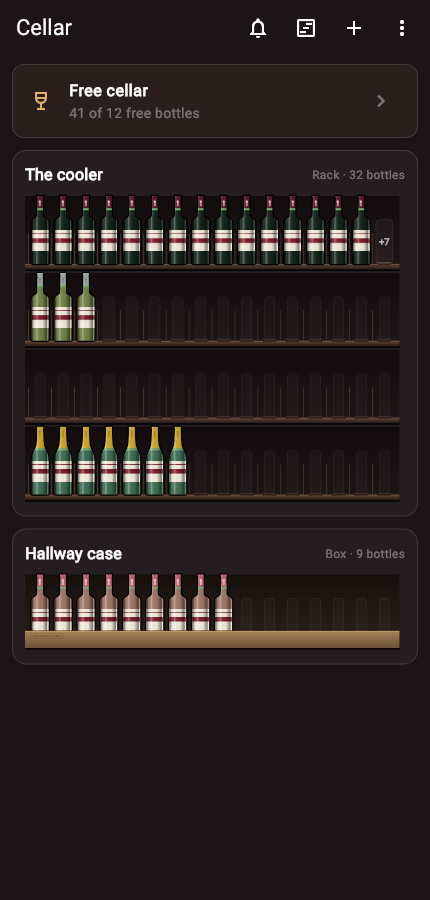
Start with one wine and three quantities
Check that the twelve bottles really match in wine, vintage and size. Then record the split: rack 6, cooler 3, box 3. The sum is twelve. Do not also keep a separate stock entry saying "one case of twelve" unless that entry is only a purchase record and is excluded from the stock total.
If your inventory supports several locations under one wine, use that. In a spreadsheet, one row per wine and location also works. Repeat the same wine identifier on each row so you can total the locations without relying on slightly different names.
Walk through a move and an opening
Here is the same case over three events. Each line shows the quantities after the event.
- Put the delivery away: rack 6, cooler 3, box 3. Total 12.
- Move two from the box into the cooler: rack 6, cooler 5, box 1. Total 12.
- Open one from the cooler: rack 6, cooler 4, box 1. Total 11.
The move changes two locations. The opening changes one location and the collection total. If the total rises to fourteen after the move, the destination was updated without subtracting from the source. If it falls to ten, the source was updated without adding to the destination.
Which bottle should an opening come from?
Record the location the bottle physically left. If the cooler supplies dinner, reduce the cooler quantity. Reducing the rack instead keeps the overall total right but makes the next search wrong.
When several people take bottles, include the location in the report: "Opened one 2021 red from the cooler." The household handoff guide explains how to avoid entering that opening twice.
What happens when the original box is empty?
Move its last bottle in the record when you move it physically. Its quantity becomes zero, while the receiving location gains one. You can then remove or archive the empty location if your tool allows it.
Keep purchase details with the wine or receipt. Discarding the cardboard should not erase where the wine was bought. Equally, keeping the receipt should not keep an empty box counted as stock.
Check a split case without recounting everything
Search for that wine and write down every listed location. Count only those places, then check any temporary holding spot used during dinner or rearranging. Add the physical quantities before correcting individual records.
If the physical total agrees but the locations differ, fix the allocation. If the total differs too, trace recent openings, gifts and deliveries using the count mismatch guide. Do not adjust the total to hide a location problem.
For a repeatable cooler refill, choose one source location and update both ends before carrying on with another wine. Finishing one move at a time makes an interruption easier to recover from.